

The TDAC Thailand website at tdac.immigration.go.th is the mandatory digital portal where foreign nationals must submit their arrival card electronically. UK travelers must complete this process at least 72 hours before entering Thailand in 2026.
This guide covers each step. As an informational resource for British tourists, we explain the portal mechanics, including CAPTCHA verification, password retrieval, and how to avoid scam platforms. For direct processing, users must navigate to the external government portal.
What Is the TDAC and How to Access the TDAC Thailand Website
The Thailand Digital Arrival Card (TDAC) replaced the TM6 paper form on 1 May 2025. UK travelers must access the genuine TDAC Thailand website at tdac.immigration.go.th to complete this mandatory, free registration.
The TDAC Thailand website requires all non-Thai nationals to submit their arrival and health status details electronically. When preparing your submission, verify the platform against these technical parameters:
- System Purpose: The portal processes arrival data but is not a visa or an ETA travel authorization; existing UK visa requirements remain unchanged.
- Browser Compatibility: The interface supports Chrome, Safari, Edge, and Firefox across both desktop and mobile devices.
- Security Warning: Deceptive scam websites manipulate search results to collect sensitive personal data and charge fraudulent fees.
How to Create an Account on the TDAC Thailand Website
The TDAC Thailand website requires all users to register with a valid email address and password. The system verifies your identity via an email confirmation link before granting access to the digital interface.
The TDAC Thailand website offers two entry modes: a persistent account for saving traveler profiles, and a guest session for one-time entry. To create a persistent profile:
Select language and register
Select your preferred language on the landing page of the TDAC portal and click the register button.
Enter email and password
Enter your email address and define a secure password in the required fields.
Solve CAPTCHA
Solve the CAPTCHA security verification to proceed.
Accept Terms and Conditions
Review and accept the system’s Terms and Conditions.
Confirm via email or OTP
Open the confirmation link or enter the OTP sent by the portal to finalize account activation.
Logging In and Navigating the TDAC Thailand Website Interface
To log in to the TDAC Thailand website, enter your registered credentials and solve the mandatory security CAPTCHA.
The TDAC Thailand website enforces strict session handling, triggering a timeout if you remain inactive. For forgotten credentials, the portal provides a standard password reset flow via your registered email address.
Dashboard Layout and Auto-Save Features
Once authenticated, the dashboard features a step-progress tracker and two main functional options: “New Arrival Card” and “Update Arrival Card”. The system includes an auto-save function, preserving your data draft if you exit the form prematurely. For detailed step-by-step visual instructions, the platform hosts a comprehensive User’s Guide.
During our internal testing on 15 January 2026, we successfully completed a TDAC submission using an iPhone 13 with Safari. The auto-save feature preserved our draft after a 10-minute interruption. We recommend using a stable Wi-Fi connection, as the CAPTCHA refresh can be delayed on 4G networks.
Completing and Submitting Your Form on the TDAC Thailand Website
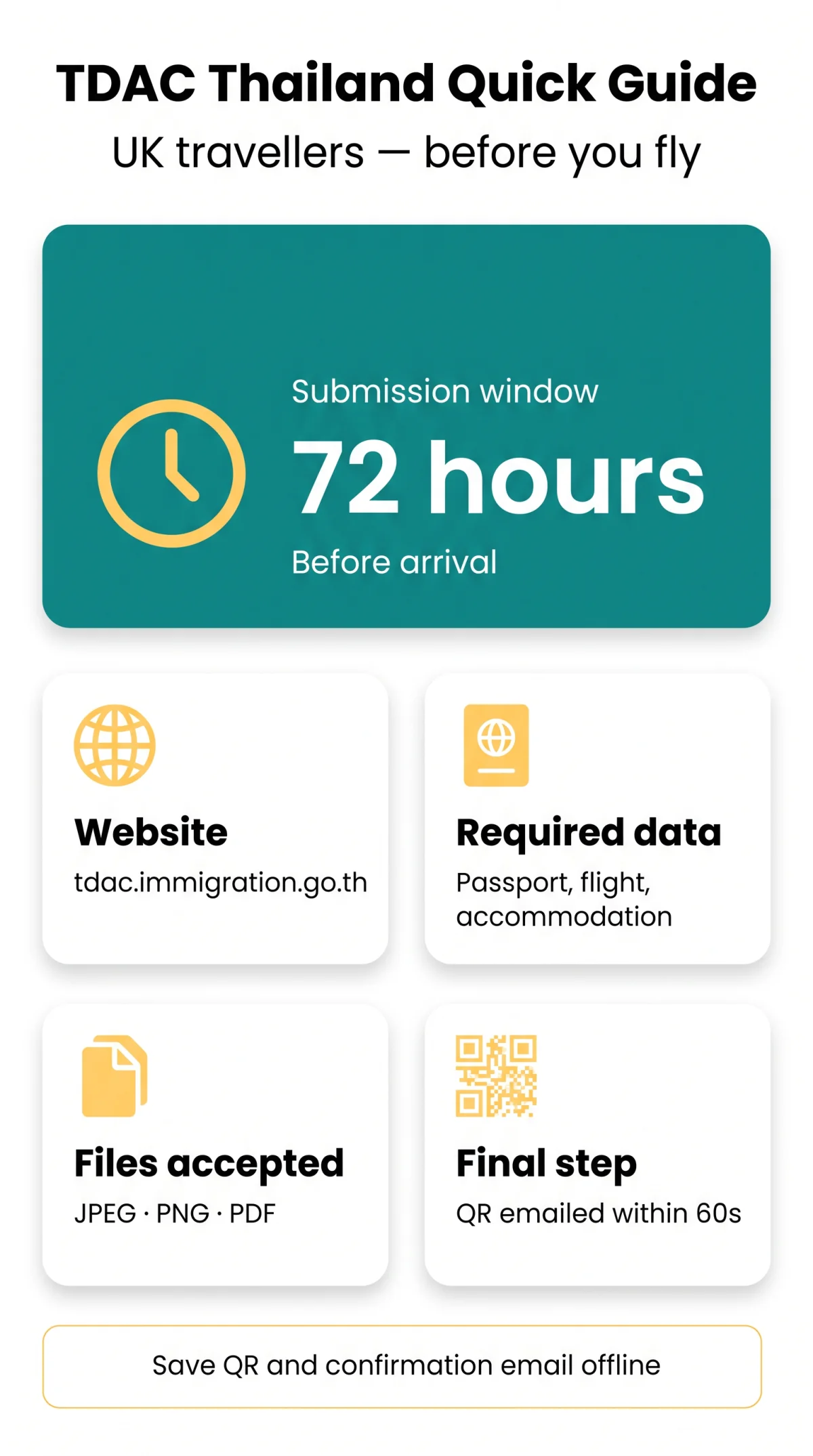
Submitting data through the TDAC Thailand website requires passport details, flight information, and accommodation data. The system enforces a strict submission deadline window, requiring travelers to complete the process within 72 hours (3 days) prior to arrival.
The digital form mandates answering an added health status question alongside standard travel itineraries. The TDAC Thailand website also provides a group and family submission functionality to streamline data entry for multiple travelers. The portal requires a final CAPTCHA verification before securely processing the electronic submission.
| Document Type | Accepted Format | Max Size |
|---|---|---|
| Passport and Accommodation Records | JPEG, PNG, PDF | Check portal limits during upload |
Post-Submission Steps and Updates on the TDAC Thailand Website
After submission, the TDAC Thailand website generates the QR-code receipt within under 60 seconds after final CAPTCHA submission and emails it to your registered inbox. Users can make limited corrections using the Update Arrival Card function on the dashboard.
The TDAC Thailand website processes your data immediately. At the border checkpoint, the immigration officer scans this QR code directly from your mobile device or a printed PDF to verify your entry clearance.
If your travel plans change, the portal allows specific modifications. The system locks primary identity data upon submission, but the Update Arrival Card button permits edits to your travel details before arrival.
Before You Leave Home Checklist
- Save the confirmation email and QR code to your phone for offline access.
- Print a backup PDF copy of the digital arrival card.
- Verify that all updated travel details match your final itinerary.
Troubleshooting Errors on the TDAC Thailand Website
The TDAC Thailand website occasionally presents CAPTCHA failures and session timeouts. If the portal experiences critical downtime within the mandatory 72 hours prior to arrival, UK travelers must follow the fallback protocol and contact the Royal Thai Embassy in London.
| Error | Cause | Fix |
|---|---|---|
| Session Timeout | Inactivity on the TDAC Thailand website | Refresh page and log in again |
| CAPTCHA Failure | Browser cache conflict | Clear browser cache or switch to Chrome |
| Upload Issue | Incorrect document format | Ensure files are JPEG, PNG, or PDF |
When persistent technical issues prevent submission, the portal requires users to seek consular assistance. Contact the embassy using these exact details:
Royal Thai Embassy, London29-30 Queen’s Gate, London, SW7 5JB
Phone: +44 (0) 207 589 2944 or +44 (0) 207 823 7492
Email: @mfa.go.th (as verified on the official embassy website)
Furthermore, any alien staying long-term must notify the nearest Immigration Officer in writing every 90 days.
Technical FAQ: Using the TDAC System
How do I find the genuine TDAC Thailand website?
The genuine URL is strictly tdac.immigration.go.th. Travelers must verify this exact address to avoid scam websites mimicking the URL structure (e.g., ”) reported by the Thai Immigration Bureau for stealing passport data.
Is the TDAC Thailand website registration the same as a Thai visa?
No. TDAC replaces the TM6 but is not a visa. Unlike a visa, TDAC requires no fee, interview, or sponsorship letter. For visa requirements, refer to the external Thai e-Visa portal at e-visa.thaievisa.go.th.
How far in advance must I use the TDAC Thailand website?
You must complete the form on the TDAC Thailand website within a 72-hour (3-day) window prior to your arrival in Thailand.
What happens if the TDAC Thailand website is down when I try to submit?
If the TDAC Thailand website experiences portal downtime within your 72-hour submission window, you should follow the fallback protocol. Contact the Royal Thai Embassy in London at the details listed above.
Can I complete a group submission on the TDAC Thailand website?
Yes, the TDAC Thailand website includes functionality for group and family submissions.
Does the TDAC Thailand website charge a fee for the arrival card?
No. The TDAC is free. Any payment request indicates a scam.
What is the alternative access method if I cannot type the TDAC Thailand website URL?
Scanning the designated QR code will redirect you directly to the correct tdac.immigration.go.th portal on your mobile device.
How do I reset my password on the TDAC Thailand website?
Use the ‘Forgot Password’ link on the login page to receive a confirmation email, followed by a CAPTCHA verification step.