

Last updated: 17 September 2026 | Written by: Editorial Team, Thailand travel specialists with 8+ years of experience covering Thai immigration procedures.
Disclaimer: This article is for informational purposes only and does not constitute legal or immigration advice. Always verify requirements with recognised Thai government sources before travel.
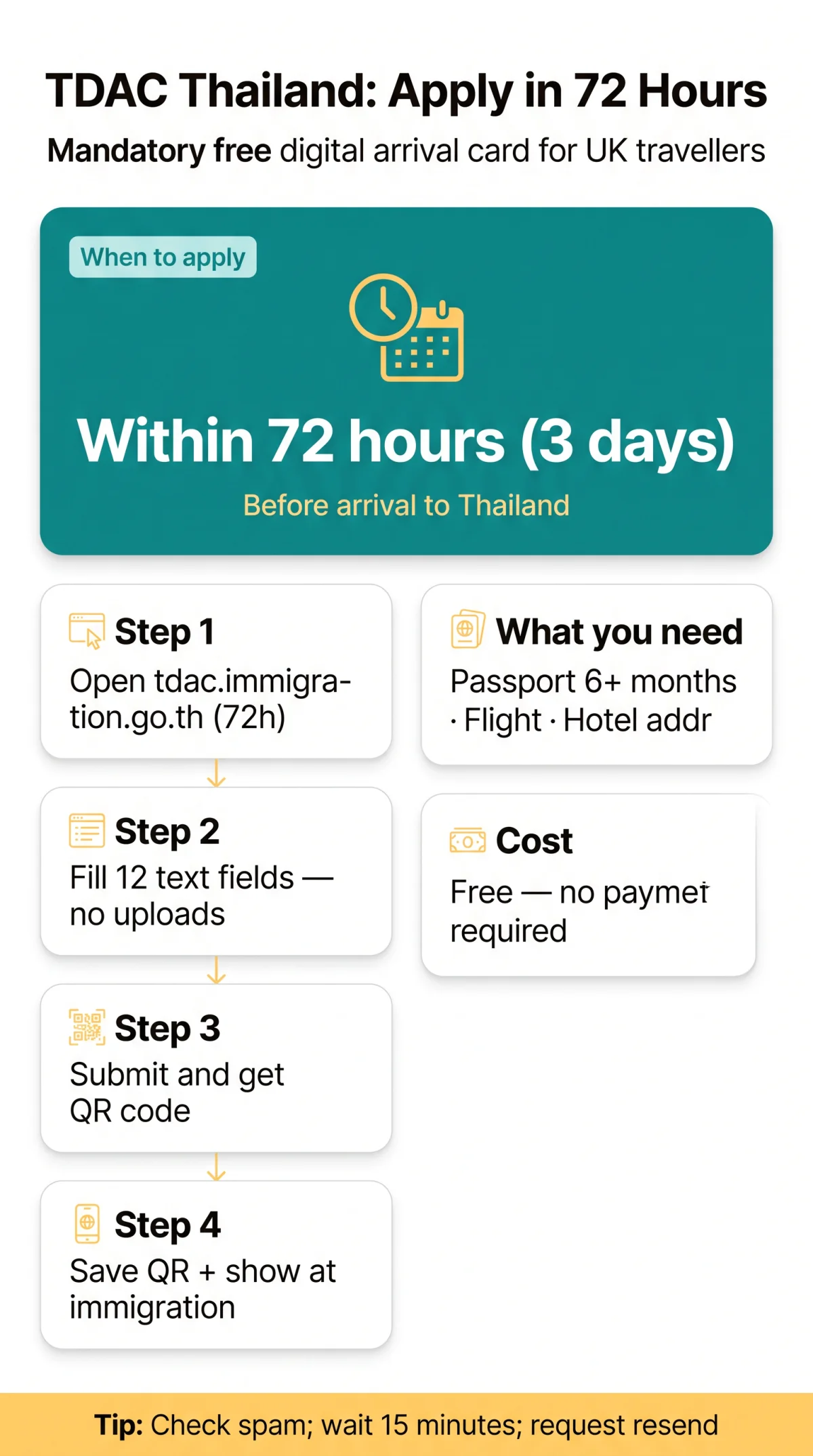
Applying for the Thailand Digital Arrival Card (TDAC) is a mandatory, free process for all UK travellers in 2026. Access tdac.immigration.go.th within 72 hours before arrival to submit your personal and travel details. The digital system (mandatory since 1 May 2025) applies to air, land, and sea entries.
Whether you are entering by air, land, or sea, prepare your details, avoid common portal errors, and know what to do if your confirmation email does not arrive instantly. Follow these instructions to generate your digital arrival card.
Open the TDAC Portal
Access within 72 hours before arrival
Fill in the Form Fields
Enter 12 text-entry fields accurately
Submit and Receive QR Code
Verify details and generate confirmation
Save and Present QR Code
Show it at immigration with your passport
What Is the TDAC and Who Needs to Apply?
The TDAC is a mandatory, free digital arrival registration, not a visa, required for all non-Thai nationals entering Thailand since 1 May 2025. If you are unsure whether this requirement applies to your nationality or visa type, see our guide on who needs a TDAC in Thailand.
The Thailand Digital Arrival Card applies strictly to arrivals by air, land, and sea. The TDAC remains an immigration requirement even for travellers using a visa exemption, meaning UK citizens must complete this registration before departure.
| Feature | TDAC | Tourist Visa | Visa Exemption |
|---|---|---|---|
| Purpose | Arrival registration | Entry permit | Entry allowance |
| Who Needs It | All foreigners | Non-exempt nationalities | Eligible nationalities (UK) |
| Cost | Free | Varies | Free |
| How to Get It | Online portal | Embassy application | Granted on arrival |
| Validity | Specific arrival date | Pre-approved period | Pre-approved period |
Does the TDAC Apply to Transit Passengers?
The TDAC exempts transit passengers who remain airside without clearing Thai immigration. Travellers leaving the transit area to recheck baggage must complete the registration. For a full breakdown of who is exempt, read our article on TDAC Thailand exemptions and transit rules.
Before You Start – What You Need for the TDAC Application
TDAC applicants need a valid passport with at least 6 months remaining, a confirmed flight number, and a Thailand accommodation address. No document uploads or fees are required. For a detailed breakdown of everything you must have ready, consult our complete checklist of required documents for TDAC Thailand.
- Valid passport (minimum 6 months validity)
- Confirmed flight number
- Full Thailand accommodation address
✅ The TDAC is completely free – no payment is required.
Do You Need to Upload a Passport Scan or Photo?
No. The system mandates text-entry only for all personal and travel information. You do not need to upload passport scans, digital photos, or any other files to secure your TDAC.
Step 1 – Open the TDAC Portal and Start Your Application
Access tdac.immigration.go.th strictly within 3 days before arrival (72 hours). Apply early to avoid session timeouts.
Can You Apply on Your Phone?
The TDAC supports both mobile and desktop platforms. Completing the form on a computer reduces typing errors, while the system requires Chrome, Safari, or Edge for optimal stability.
| Device | Experience | Recommendation |
|---|---|---|
| Desktop | Stable session, fast keyboard entry | Highly Recommended |
| Mobile Phone | Responsive mobile browser interface | Suitable alternative |
Step 2: Fill in Every Field of the TDAC Form Explained
The Thailand Digital Arrival Card (TDAC) requires precisely 12 text-entry fields, including your passport details, flight number, and Thai accommodation address, with absolutely no file uploads required. The TDAC validates your data instantly; typographical errors require starting over. For a field-by-field breakdown of the entire form structure, see our guide to the TDAC Thailand form sections and required fields.
| Field Name | What to Enter | Example | Watch Out For |
|---|---|---|---|
| Full Name | Exact passport name | Jane Smith | [Common Mistake] Must match passport exactly |
| Nationality | Issuing country | United Kingdom | Select from dropdown list |
| Passport Number | Alphanumeric code | 123456789 | [Common Mistake] Must have 6+ months validity |
| Date of Birth | DD/MM/YYYY | 15/05/1985 | Check date format |
| Gender | Male/Female/Other | Female | Match passport details |
| Flight Number | Arrival flight code | TG124 | Include airline letters |
| Seat Class | Cabin type | Economy | Check your boarding pass |
| Arrival Date | Date landing in Thailand | 20/10/2026 | Use local Thai time |
| Departure Date | Exit date | 05/11/2026 | Estimated date is acceptable |
| Purpose of Visit | Main reason | Tourism | Keep it accurate |
| Accommodation Address | First hotel name | Bangkok Hotel | [Common Mistake] Provide complete address |
| Email Address | Active inbox | Crucial for QR code delivery |
Step 3 – Review, Submit Your TDAC Application and Receive the QR Code
Review every field on the final screen before clicking Submit, since TDAC applications generally cannot be edited after submission.
The digital system evaluates submissions instantly without requiring any payment.
- Verify your personal and travel details carefully.
- Click Submit to finalise the form. The TDAC immediately generates an on-screen QR code confirmation.
- Check your email inbox for the duplicate confirmation message. Group submissions are not permitted; each person needs a separate application.
Step 4: How to Save Your TDAC QR Code and Present It at Immigration
Save the QR code from your screen or email as a PDF (printing is optional) – immigration accepts the digital version. For more tips on storing and displaying your confirmation, read our dedicated guide to the TDAC Thailand QR code.
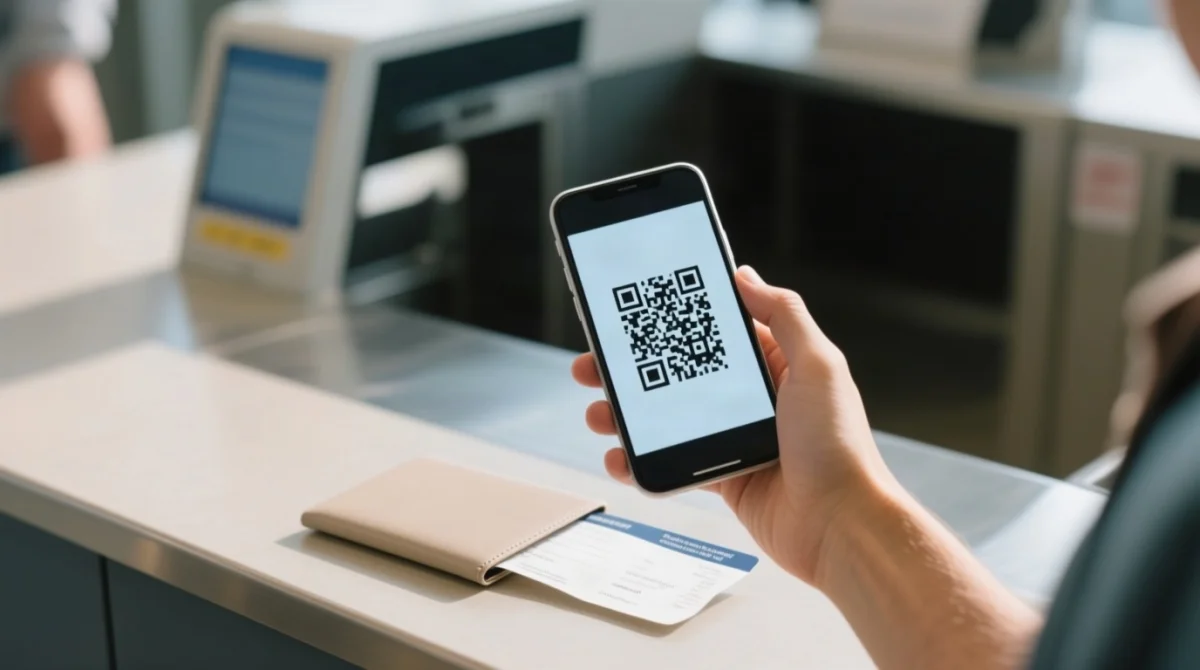
The TDAC registration validity remains strictly tied to your exact arrival date.
- At Immigration, Have Ready:
- QR Code
- Passport (minimum 6 months validity)
- Boarding Pass
📧 Didn’t receive the confirmation email? Check spam → wait 15 minutes → request resend.
TDAC Portal Troubleshooting – Common Issues and Fixes
The most frequent TDAC portal issues are session timeouts, unsupported browsers, and delayed emails, solvable through browser updates and spam-folder checks. For a deeper dive into resolving website problems, see our guide on TDAC Thailand technical errors and fixes.
| Problem | Likely Cause | Solution |
|---|---|---|
| Session timeout | Inactivity on the form page | Refresh the page and restart the TDAC application. |
| Missing confirmation email | Spam filter or server delay | Check spam, wait 15 minutes, then request a resend. |
| Form fields not loading | Unsupported web browser | Switch to Chrome, Safari, or Edge. |
| Unresolved system errors | Portal maintenance or complex bugs | Consult the troubleshooting guide at tdac.immigration.go.th/manual/en. |
Expert Advice and Verified Sources
According to a spokesperson from the Royal Thai Embassy in London, “Travellers must ensure they complete the TDAC registration within 72 hours of arrival to avoid delays at immigration.” For consular assistance, you can visit the Royal Thai Embassy at 29-30 Queen’s Gate, London, SW7 5JB.
Sources:
- Recognised TDAC Portal: tdac.immigration.go.th
- Royal Thai Embassy, London: london.thaiembassy.org
- Tourism Authority of Thailand (TAT) Call Center: 1672
TDAC Application FAQ
How do I apply for TDAC Thailand step by step?
Visit tdac.immigration.go.th within 3 days, complete 12 text fields, submit, and receive your QR code on-screen and by email.
What is the recognised TDAC website to apply?
The recognised portal is tdac.immigration.go.th. It is completely free of charge.
What documents do I need for the TDAC application?
No document uploads are required. You only need a valid passport (6+ months), flight number, and accommodation address for text entry.
How much does the TDAC application cost in 2026?
The TDAC is completely free. Any site charging a fee is not the recognised government portal.
How far in advance should I apply for my TDAC?
You must apply strictly within 3 days (72 hours) prior to your arrival in Thailand.
Can I apply for my whole family on one TDAC form?
No. Every individual, including children, requires a separate TDAC application and unique QR code.
What if I didn’t receive my TDAC confirmation email?
Check your spam folder, wait 15 minutes, and if it is still missing, request a resend on the portal.
Can I change my TDAC details after submitting?
No. If you make a mistake, you must submit a new application to generate a new QR code.
Do I need to print my TDAC QR code?
Printing is optional. You can save the confirmation page as a PDF on your mobile device for immigration.
Is TDAC the same as a Thai visa?
No. It is a mandatory digital arrival card, required even for UK citizens holding a visa exemption.
Do babies and children need their own TDAC?
Yes. Any child with their own passport must have a separate application completed.
Which browsers work best for the TDAC portal?
Use Google Chrome, Apple Safari, or Microsoft Edge to prevent session timeouts and errors.